 Synopsule
Privacy
Meeting transcription for Mac
Remember who
said what.
Record your microphone and system audio without a meeting bot. Read a transcript with speaker labels, then replay the moment you need.
Get Synopsule for Mac $4.99 onceUS App Store price. Optional Pro. Check device compatibility in the App Store.
- On-device transcription
- Speaker labels included
- Recorded audio never uploads
From conversation to something you can use.
Record the meeting.
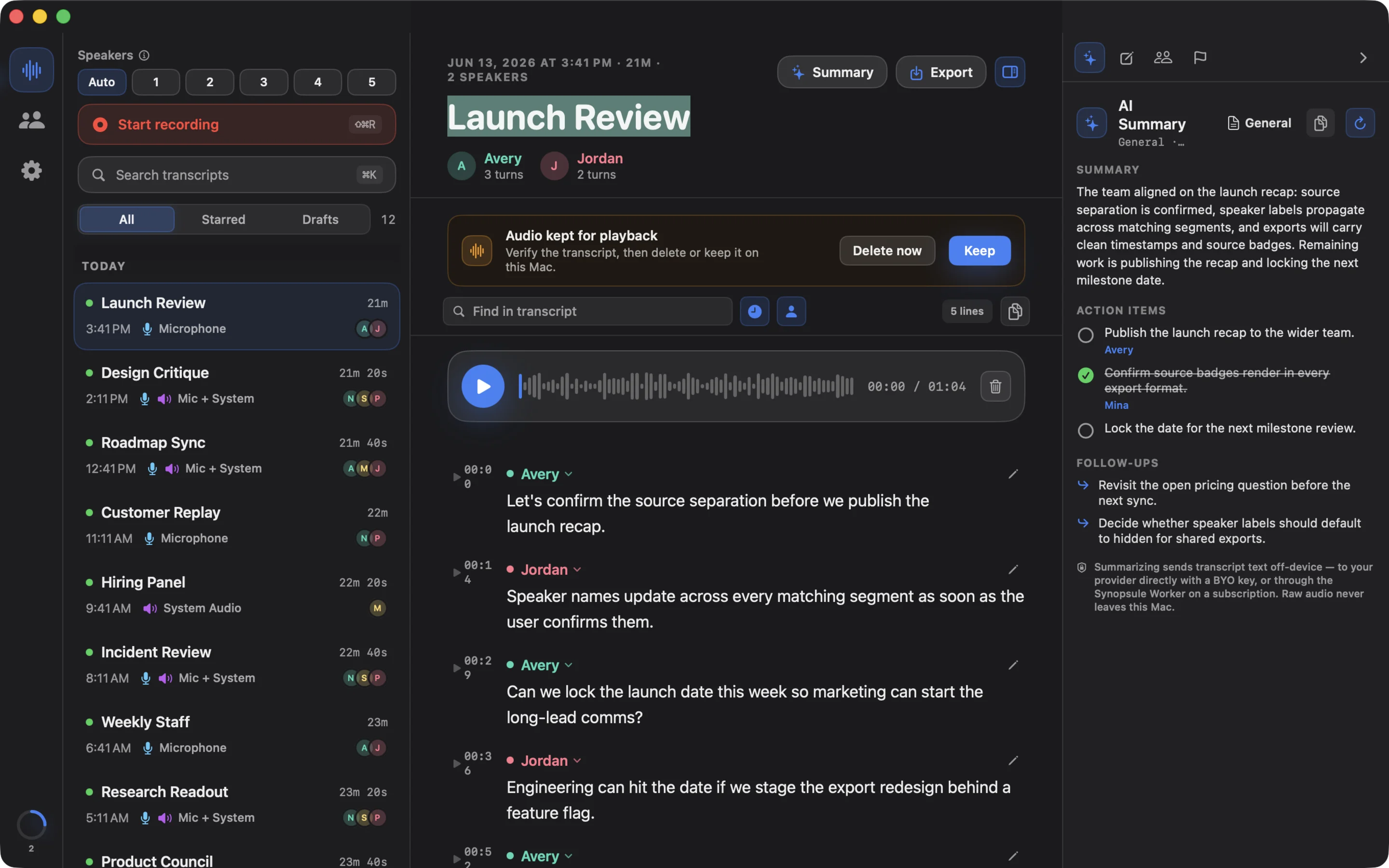
Capture your microphone and Mac system audio with the required permissions. No meeting bot needs to join.
See who said what.
Transcribe on-device, name speakers, and revisit the original audio.
Keep the useful parts.
Search your transcripts, add notes, and export to the tools you use.
Your AI assistant can work in Synopsule.
Connect Claude Desktop, Claude Code or Codex to the built-in Mac MCP server. Search saved transcripts, then opt in to recording, speaker and text corrections, notes, recaps, authored Library items, local playback, file import, backups and document exports.
Keep the Mac app open for control. Permissions, AI destination consent, file selection and deletion confirmation stay in the app. Audio, voiceprints and credentials never enter MCP responses.
See the 38 tools and setup guideYour audio stays on your device.
Recording and transcription happen locally. AI summaries are optional. Choose a supported on-device option or a cloud option that asks before receiving selected text. Recorded audio is never sent to AI.
One purchase covers Mac and iPhone, with an Apple Watch companion. Your library is local-first, with portable backup and restore for moving verified content. Playback audio and voiceprints stay device-local. Synopsule is available in 41 interface languages.
Read the privacy policy